
Is Chrome Saving Your Passwords? Stop Right Now.
If you are still letting Google Chrome, Microsoft Edge, or Safari save your passwords, you are making yourself a prime target for basic stealer malware. Browser-saved credentials are notoriously easy for automated scripts to extract.
To lock down your digital life, you need a dedicated password manager. But this introduces a massive cybersecurity question: Are password managers actually safe, or are you just putting all your security eggs in one hackable internet basket?
In this deep dive, we will analyze the structural security differences between the two most trusted, open-source giants in the industry: Bitwarden (Cloud-based) and KeePass (Local-based).
The Cloud Approach: Bitwarden (Convenience Without Compromise?)
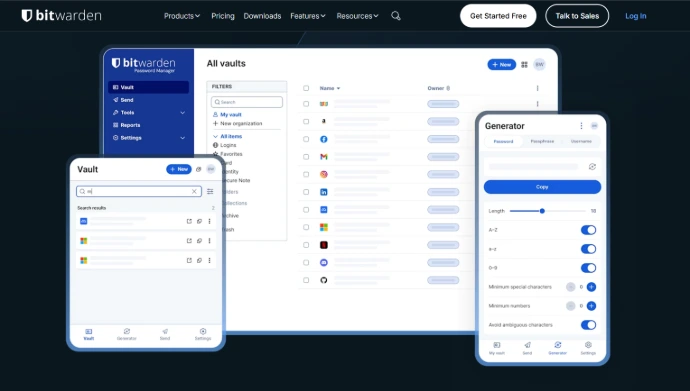
Bitwarden is widely regarded as the king of modern, open-source password managers. It stores your encrypted vault on cloud servers, allowing you to seamlessly sync your passwords across your PC, phone, and tablet.
🛡️ How Bitwarden Protects You:
Zero-Knowledge Encryption: Bitwarden uses end-to-end encryption AES-256. Your master password never leaves your device. The cloud servers only host an unreadable, encrypted blob of data. Even if Bitwarden gets hacked, the attackers get nothing but useless gibberish.
Fully Open-Source: Every line of Bitwarden's source code is publicly available on GitHub. This transparency means third-party security auditors constantly inspect it for vulnerabilities.
⚠️ The Cloud Risk Factor:
Because your vault is online, it is exposed to the public internet. If someone steals your master password via a phishing attack or keylogger, they can access your vault from anywhere in the world.
The Local Approach: KeePass (The Unhackable Fortress)
If you trust absolutely no one—including cloud providers—KeePass is the ultimate fortress. It is a legendary, lightweight, open-source software that stores your passwords locally in a single, heavily encrypted database file (.kdbx) right on your hard drive.
🛡️ How KeePass Protects You:
Zero Internet Exposure: By default, KeePass does not connect to the internet. There are no servers to breach, no cloud companies to trust, and no remote login portals for hackers to brute-force.
Complete Control: Your vault only moves if you physically move it. To hack your KeePass vault, an attacker typically needs physical access to your machine or highly targeted advanced malware.
⚠️ The KeePass Trade-Off: Local Risks & Mobile Chaos
While local storage eliminates cloud hacks, it shifts 100% of the security responsibility onto you. If your hard drive dies and you don’t have a backup, your passwords are gone forever.
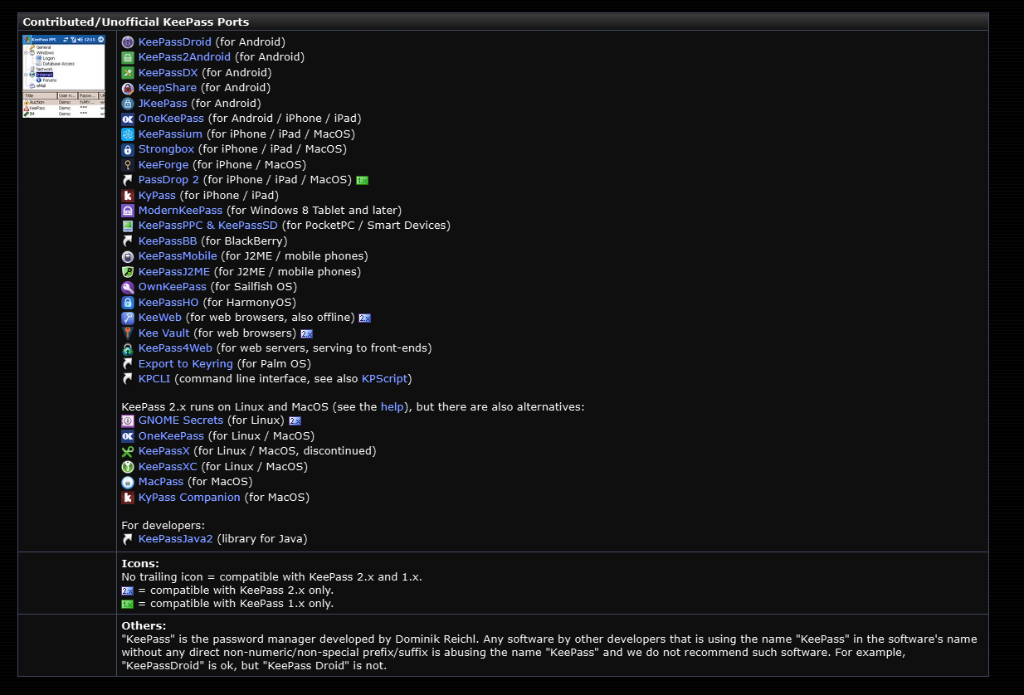
Furthermore, because KeePass was originally built for Windows, it does not have an official mobile app. To sync your database to Android or iOS, you must manually transfer the file and rely on unofficial, third-party "ports." You must be extremely cautious and only download trusted apps verified by the official directory to avoid malicious clones.
Bitwarden vs KeePass: Head-to-Head Security Breakdown
| Feature | Bitwarden | KeePass |
|---|---|---|
| Vault Storage | Encrypted Cloud (Microsoft Azure) | Local File (.kdbx) on your device |
| Encryption Algorithm | AES-256, PBKDF2 SHA-256 | AES-256 / ChaCha20 |
| Data Syncing | Automatic & Seamless | Manual or Self-Managed |
| Target Audience | Users wanting security with ease of use | Advanced tech-savvy users and paranoids |
The Final Cybersecurity Verdict: Which One is Safest?
Are password managers safe? Yes, they are infinitely safer than reusing simple passwords or storing them inside your web browser. Both Bitwarden and KeePass utilize enterprise-grade encryption that is mathematically impossible to crack by brute force.
Our Recommendation:
Choose Bitwarden if you want top-tier security combined with the convenience of accessing your passwords instantly on your phone and PC. Just make sure to enable Two-Factor Authentication (2FA) using an authenticator app to mitigate the cloud risk.
Choose KeePass if you are running a critical workstation, handling highly sensitive infrastructure, or simply refuse to let your data touch anyone else’s servers. It is the purest form of digital sovereignty, provided you are responsible enough to manage your own backups.
❓ Frequently Asked Questions (FAQ)
Q1: Is it safe to save passwords in Google Chrome or Microsoft Edge? Answer: Strictly speaking, No. Browser-saved credentials are saved in predictable system locations that automated stealer malware can easily access and decrypt. Using a dedicated password manager like Bitwarden or KeePass is infinitely safer.
Q2: Can Bitwarden developers see my passwords? Answer: No. Bitwarden uses strict Zero-Knowledge encryption. Your master password is used to encrypt your vault locally on your device before it ever touches their cloud servers. They only host encrypted data that is mathematically impossible for them to read.
Q3: What happens if I lose my KeePass master password? Answer: If you lose your master password or the encryption key file, your data is gone forever. Because KeePass is 100% local and private, there is no "Forgot Password" or server recovery system to help you reset it.
Q4: Can I sync KeePass between my PC and Android phone? Answer: Yes, but it requires manual setup. Since KeePass doesn't have an official cloud, you must manually transfer the encrypted .kdbx file via USB, or use open-source syncing tools like Syncthing, Nextcloud, or trusted unofficial mobile ports like KeePass2Android.